Introduction
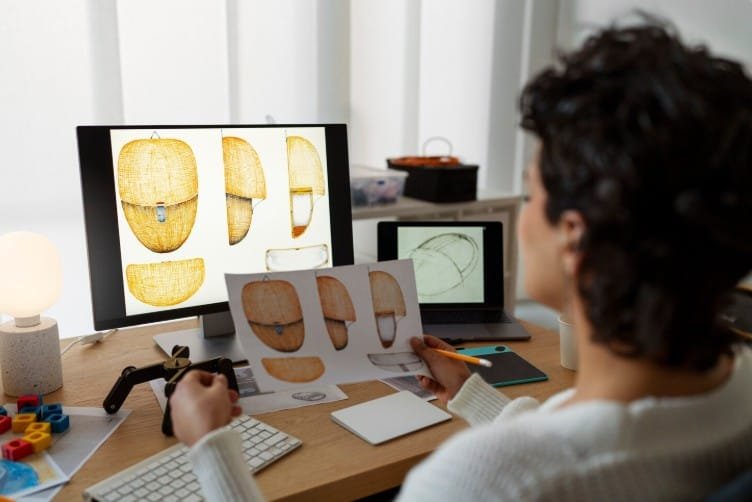
Visualization plays a crucial role in modern product design, showcasing ideas prior to their actual creation. Fusion 360 rendering makes realistic pictures of 3D models that show how materials, lighting, and textures look. Professionals use Autodesk Fusion 360, which has CAD, CAM, and rendering tools, to make high-quality images for clients to approve, for presentations, and for marketing.
How to Make Product Visualizations That Look Real
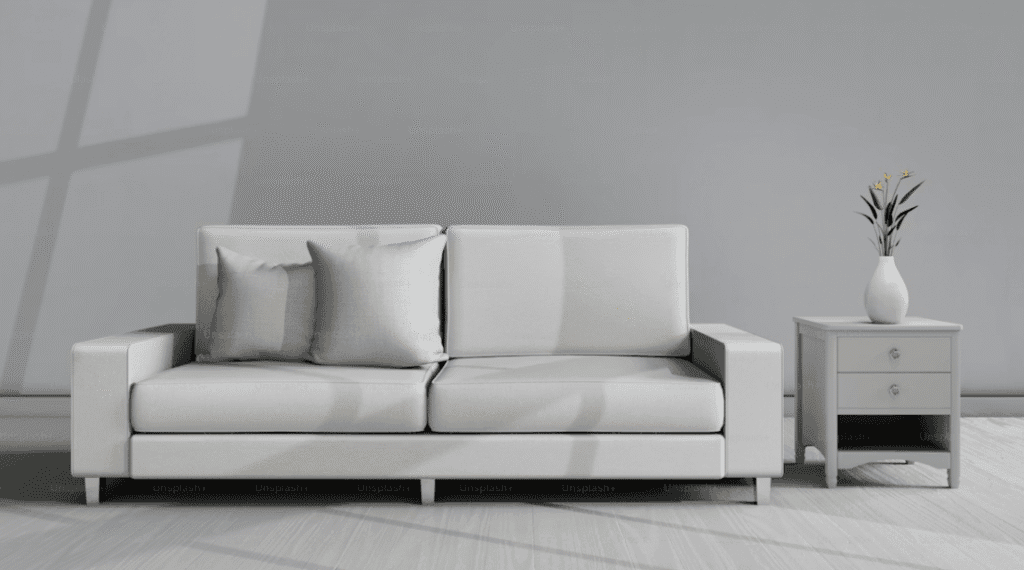
Fusion 360 rendering helps designers make pictures of products that look like they do in real life by using materials and settings that look like they do in real life. This helps you figure out how something should look, get your point across, and make pictures without having to make real prototypes.
Learning about Fusion 360 Rendering
You make pictures that look real when you render a 3D model in Fusion 360. The program uses information about how light interacts with surfaces and materials to make a high-quality output with textures, shadows, and reflections. Rendered images look like real photos and can be used in catalogs, design reviews, and presentations. Simple previews can’t do that. Design HOK offers Fusion 360 rendering if clients need. But mostly we use SolidWorks for
The Most Important Things About Fusion 360 Rendering
A group of things that look real
There are many different materials in Fusion 360, such as glass, plastic, wood, metal, and fabric. People can make surfaces look real in Fusion 360 rendering by changing their color, roughness, reflectivity, and transparency.
The World and Light
Lighting makes things look real and gives them more depth.
Fusion 360 has a lot of different HDR environments. You can change the mood of a scene by moving the light, changing its intensity, or changing its setting.
Cloud Rendering
Fusion 360 rendering can be done in the cloud on Autodesk’s servers. This gives designers more room on their computers and lets them work on other things while the render is going on.
Preview in Canvas
With in-canvas rendering, designers can see how materials and lighting will look in real time. This lets them change scenes before the final render.
How to Use Fusion 360 to Render
Getting the 3D model ready
Ensure your 3D model is well-organized before you begin using Fusion 360. When the shapes and sizes are right, it’s easier to add materials and render.
Using stuff
Please provide the model parts with the necessary materials. For instance, the outside of a product could be made of plastic, while the inside could be made of metal or rubber. These traits change how light interacts with the model.
Getting the Lights and the Environment Ready
Change the light and pick an HDR (high dynamic range) setting. Adding depth, shadows, and reflections to the render with the right lighting makes it look real.
Changing the camera
Changing the camera position and its angles to make the result more realistic. In this way, the look of the object becomes professional.
Finalizing the Render
When the quality of rendering and resolution is chosen, finalize the rendering. Fusion 360 makes a high-quality image by figuring out how to use light, materials, and reflections.

Benefits of Fusion 360 rendering for you.
Plan and make things:
Before you make things, think about how they will look, what colors they will be, and what materials they will be made of. Thinking before creating an object is the best step, which is useful to prevent your design from damage.
Marketing and Presentation:
You can create pictures for websites. You can also make catalogs and ads without having to make real prototypes.
Engineering Visualization:
Engineering Visualization helps people understand complex parts of reports. It is also helpful to understand complex presentations.
Prototyping and Concept Development:
Prototyping and concept development have an important role in fusion rendering. By testing colors and materials on a computer, you can quickly try out different designs.
Conclusion
Fusion 360 rendering makes the pictures look realistic. Designers and engineers can create more realistic pictures by rendering 360. Rendering 360 plays an important role in making the designs more visual. By using materials, lighting, camera control, and cloud technology, designers can take professional-looking pictures.
Rendering 360 is helpful in making new products, selling them, testing them, and seeing how they work. Designers and engineers can clearly share ideas and make realistic, captivating product visualizations when they know how to use Fusion 360 rendering
FAQs
What does Fusion 360 rendering do?
It makes pictures that look real by imitating how light, materials, and reflections work.
Why is it important for manufacturing?
It helps people see products before they are made, which makes it easier to realize the colors, materials, and design details.
Can Fusion 360 show things that are in the cloud?
Yes, rendering can happen in the cloud, which means that computers don’t have to do as much work.
What kinds of things can be used?
Surfaces that look real and are made of metal, plastic, glass, wood, fabric, and other materials.
What can you do to improve the render?
Set the rendering settings higher, use the right lighting, camera angles, and materials that look real.
Is it easy to use for new users?
Yes, Fusion 360 has built-in tools, previews, and libraries of materials that are perfect for beginners.
How long does it take to make?
It depends on how effective and complex the model is. It only takes a few minutes to render simple things, but it takes longer for more complicated things.
Can it be used to take pictures for ads?
Yes, to take pictures for online stores, catalogs, and ads.
What does light do?
Lighting changes the shadows, reflections, and overall realism of a scene, which makes the product’s most important features stand out.
Is it easy for beginners to learn?
Yes, if you use the built-in tools and previews to practice.
What types of files can you keep?
You can save rendered images as JPEG or PNG files to use in reports or marketing materials.