


CAD assembly drawings are also known as engineering drawings. Every designer, engineer, and manufacturer uses them. You describe your information in pictorial form instead of words. Among these, assembly drawings are very useful because you will get to know how different parts fit together to make a complete structure of a machine. These drawings primarily display a bill of materials, sections, weights, and views. Now CAD software like AutoCAD, Solidworks, or Fusion360 is used to create assembly drawings. You can create 2D drawings from 3D models using these tools. This speeds up your work. Moreover, these softwares are more precise.
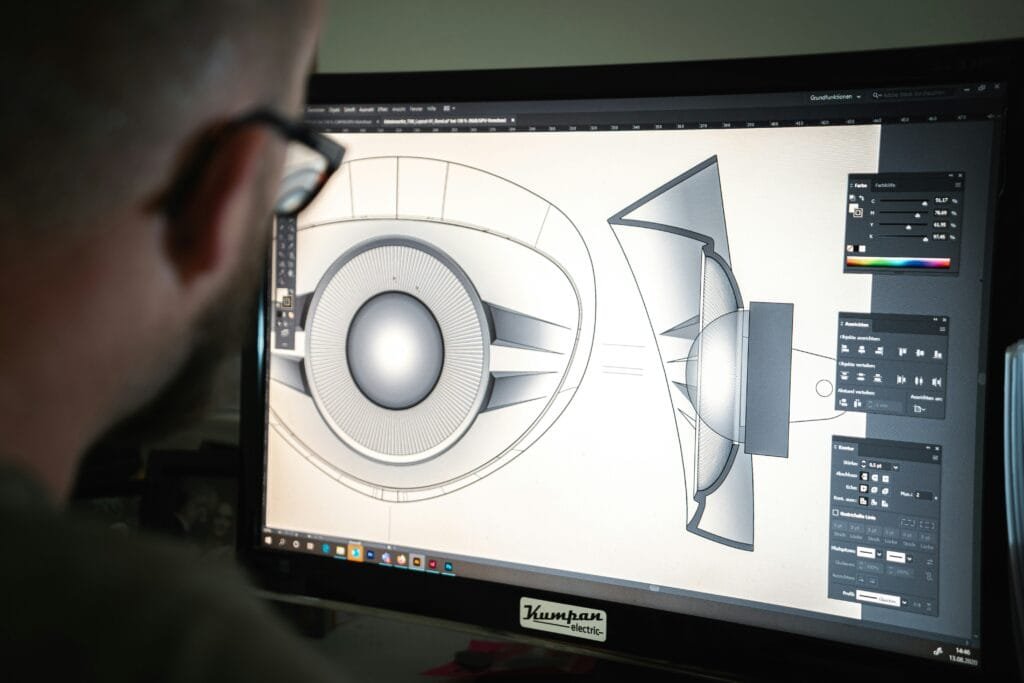
What are CAD Assembly Drawings?
This type of drawing shows how separate parts fit together to form a complete product. It usually shows:
- The names and numbers of the parts
- The arrangement of the parts
- Its materials and measurements
- It’s views from different sides
Sometimes, separate views are used to show each part clearly. These drawings also assist with manufacturing, assembly, and repair work.
Difference Between a CAD Assembly and a Detailed Drawing
Both are necessary, but they serve different purposes:
| Feature | Assembly Drawing | Detailed Drawing |
| Purpose | Shows how multiple parts fit together to form a complete product | Shows one single part with full details for manufacturing |
| Focus | Focuses on the overall product and part relationships | Focuses on one specific part |
| Contents | Includes arrangement of parts, BOM, materials, and views | Includes dimensions, tolerances, material, and notes |
| Views Used | Often includes multiple and exploded views | Usually shows front, top, and side views of one part |
| Usage | Used for assembling, installing, and understanding how parts connect | Used for producing or machining an individual part |
| Information Level | General overview of the product | Detailed information about a single component |
| Users | Used by CAD teams, engineers, and technicians | Used by machinists, fabricators, and manufacturers |
| Example | Drawing of a full car engine showing all components together | Drawing of a single piston with measurements and material details |
Types
There are several types of drawings. Now, let us discuss the common ones:
1. General Assembly Drawings
It shows all the parts and how they are going to fit in the final design. Design HOK delivers the best CAD assembly drawings to its clients. They may also include sub-assemblies, instructions, and catalog versions.
2. Exploded Assembly Drawings
You can get information about parts separately through these drawings. So, this tells you how they can be attached. They are mostly used in manuals and catalogues.
3. Installation Drawings
These types of drawings provide information on how to install the equipment. They show positions, hardware, and the connection of parts to each other.
4. Schematic Assembly Drawings
These use simple symbols and lines instead of real shapes. For example, electrical schematics show how wires connect without showing their physical appearance.
5. Machine Shop Drawings
These are made for machinists and include only the details they need to make or adjust a part.

Importance of CAD Assembly Drawings
CAD Assembly drawings are important to get clarity in your project and minimize errors. If designers did not create these designs, then it would be quite confusing. This could result in time wastage and errors.
Here are some common reasons:
- They communicate technical details clearly.
- They guide workers during assembly.
- They ensure proper material and part usage.
- They prevent time wastage and give clarity.
You can improve, share, and reuse drawings with the CAD assembly drawings tool. This optimizes your production, and it is more reliable.
How do you identify a Good Drawing?
A good drawing removes confusion and helps everyone, from engineers to technicians. To create a valuable drawing, To create a high value drawing you must include a clear label and notes, front, top, side views, exploded views, and dimensions.
CAD Assembly Drawings
Now designers use CAD assembly drawings to create these drawings. So, engineers do not have to create a manual drawing, but they:
- Can build CAD assembly drawings to test designs
- Can create 2D CAD drawings with dimensions and exploded views
- Can automatically generate a bill of materials
- Can check for errors using motion and clash simulations
SolidWorks allows designers to shift from 3D models to 2D drawings quickly. This minimizes your errors.
FAQs
1. What is an assembly drawing?
You can show multiple parts that are linked together to make a product.
2. What is the difference between a detail drawing and an assembly drawing?
A detail drawing is focused on a single part. However, the other drawing covers multiple parts that join to each other.
3. What are the five types of assembly drawings?
They are general assembly drawings, exploded assembly drawings, installation drawings, schematic assembly drawings, and machine shop drawings.
4. What is the way to create a good drawing?
You have to make it simple to understand with different views. You can add a BOM and also include notes. In the present age, CAD simplifies the process.





Your blog is a treasure trove of valuable insights and thought-provoking commentary. Your dedication to your craft is evident in every word you write. Keep up the fantastic work!
Thanks!
Your writing is like a breath of fresh air in the often stale world of online content. Your unique perspective and engaging style set you apart from the crowd. Thank you for sharing your talents with us.
Thank you so much for your kind words! I’m thrilled to hear that the content resonated with you. Your encouragement means a lot and inspires me to continue sharing valuable and engaging perspectives. I truly appreciate your support!
Yay google is my king assisted me to find this great web site! .
You actually make it seem so easy with your presentation however I find this matter to be really one thing which I think I’d never understand. It seems too complicated and very vast for me. I’m looking forward for your next post, I will attempt to get the hang of it!
It’s perfect time to make some plans for the future and it is time to be happy. I’ve read this post and if I could I desire to suggest you some interesting things or suggestions. Perhaps you can write next articles referring to this article. I desire to read more things about it!
Hiya, I’m really glad I’ve found this info. Today bloggers publish only about gossips and internet and this is actually frustrating. A good blog with interesting content, that’s what I need. Thank you for keeping this web-site, I’ll be visiting it. Do you do newsletters? Can not find it.
I just like the valuable information you supply to your articles. I’ll bookmark your blog and check again here frequently. I am slightly certain I’ll be informed many new stuff right here! Best of luck for the next!
Thank you for sharing superb informations. Your website is very cool. I’m impressed by the details that you’ve on this blog. It reveals how nicely you perceive this subject. Bookmarked this website page, will come back for more articles. You, my friend, ROCK! I found simply the info I already searched all over the place and simply couldn’t come across. What a great web site.
Hiya very cool site!! Man .. Beautiful .. Superb .. I’ll bookmark your blog and take the feeds additionally…I am happy to seek out so many useful info here within the publish, we need develop more techniques in this regard, thanks for sharing.