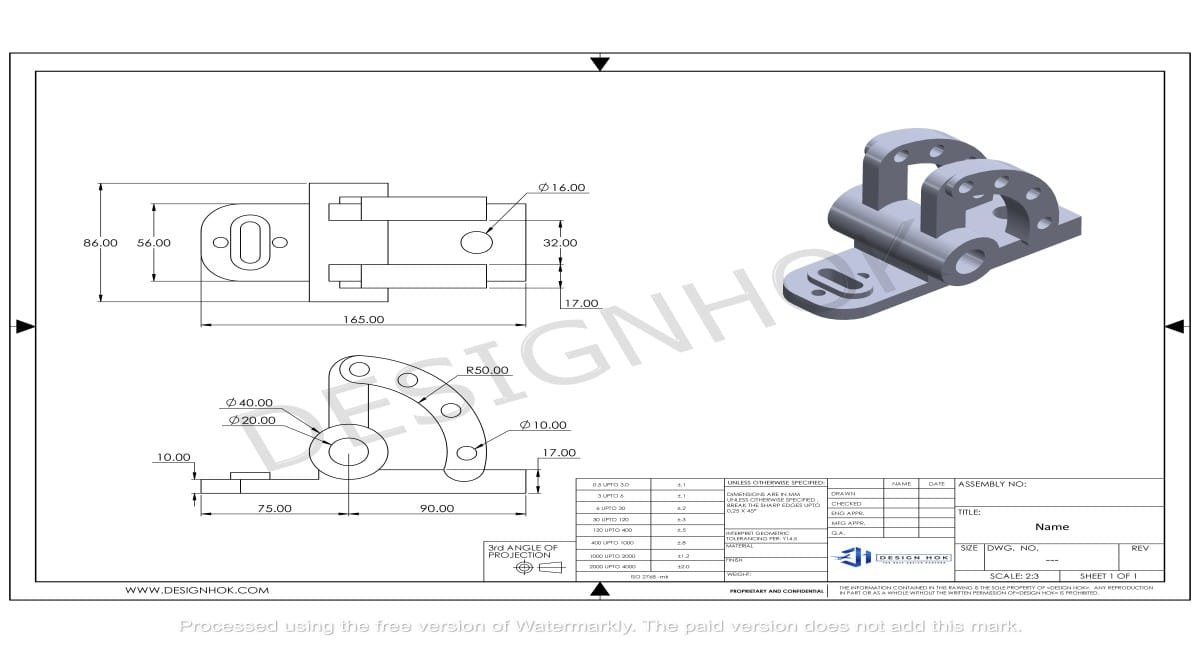

Introduction
The Art of creating 2D CAD Drawings significantly boosts your business efficiency. Creating a perfect 2D model drawing is one of the most efficient skills at Design HOK. Now, if you are an architect, engineer, or designer, you must be familiar with 2D CAD drafting. 2D CAD allows you to communicate with ideas, reduce errors, and improve team communication.

Understand The Basics
You must be familiar with the basics first before drawing. This involves understanding AutoCAD or DraftSight. The tools may appear unique, but the basics are the same. You have to work with lines, arcs, shapes, layers, and text to make your drawing.
1. Prepare Your Space
You can begin by picking the right units. Turn on grids and snap settings to stay accurate. Create layers for outlines, dimensions, and notes. So, your drawing is neat and organized.
2. Draw the Framework
Begin with simple shapes. Use lines, circles, and arcs to sketch the base. You must put exact coordinates if you want precision. Use snaps to connect points so everything lines up perfectly.
3. Enhance the Design
You can refine your work by cutting and extending the line. You can also use a mirror of symmetry to keep things accurate and precise. 2D CAD drafting offers a variety of tools, such as rotatable scale, offset, and alignment.
4. Add Measurements and Labels
Measurements are vital. Add dimensions to show size and scale. Use notes and arrows to explain details, like materials or instructions. When you do clear dimensioning, it prevents you from confusion in the future.
5. Arrange Using Layers and Colors
Assign colors to different layers.
This can include:
- Red for outlines
- Blue for notes
- Green for dimensions
Change line weights for clarity. This makes complex drawings easier to read and share. So, organizing with layers and colors makes your CAD drawing clear. It also saves your time for editing, reviewing, and sharing.
6. Recheck Your Drawing
In this step, you have to find any mistakes. Now, ensure that the lines link, dimensions are correct, and notes are clear. A small error in CAD can result in big problems in projects. You can take some additional time to check your work. This ensures that your drawing is reliable, professional, and ready to use.
7. Save
You can save your work in DWG or another format. Then export it as a PDF to share it easily. Always use clear file names so drawings are easy to find later.
Conclusion
You should create a clear, accurate, and professional 2D CAD drawing. This includes having the right setup and following simple steps to change your ideas into accurate drawings. These drawings share your design with everyone. A well-prepared CAD drawing improves both collaboration and minimizes errors. Moreover, it saves time and can be used as a reference for design and production.