

Introduction
3D rendering is used to create realistic images. These images are used in architecture. It is also used in product design, gaming, animation, and engineering simulations to help visualize concepts. 3D rendering relies on powerful graphics processing units. GPUs are specialized hardware. They are built to perform thousands of calculations simultaneously. It makes rendering faster.
What if you don’t have a high-end GPU?
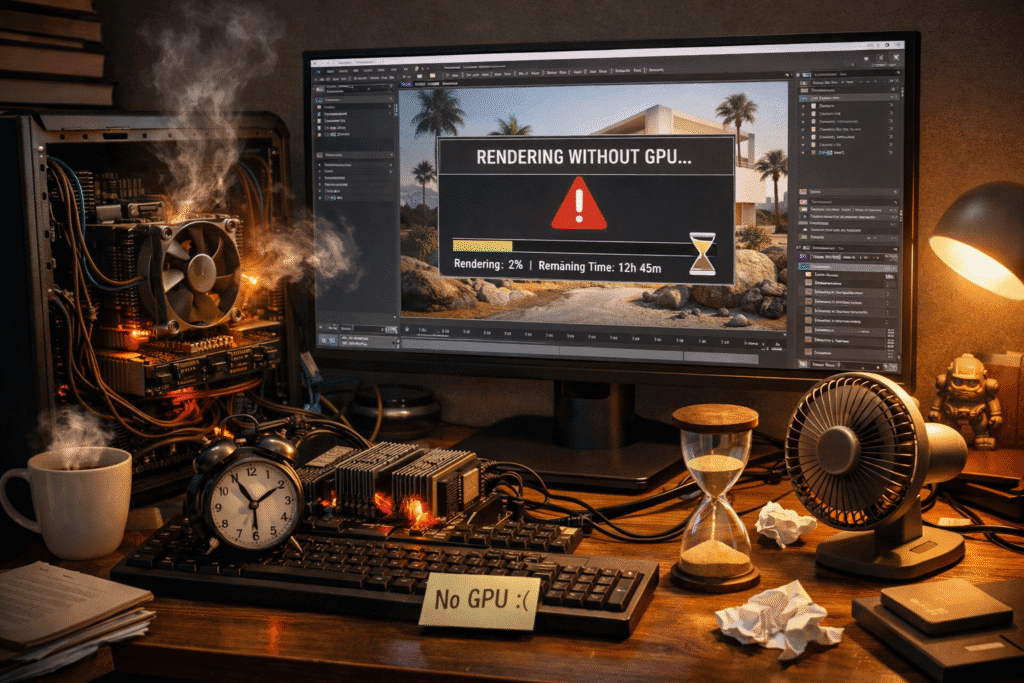
3D rendering without a GPU is still possible. To complete projects, many professionals and students work with limited hardware and rely only on their CPU. While it may take more time. You can still achieve good results with the right approach. We understand that not everyone has access to expensive equipment, at Design HOK.
What Is 3D Rendering Without a GPU?
The computer calculates lighting and textures to make the image look realistic during rendering. You must know what is 3d rendering without a GPU.
There are two main types of rendering:
1. Real-time rendering model
Real-time rendering is used in interactive apps. Real-time rendering is used in video games and interactive apps. Real-time rendering focuses on speed. Users can see changes instantly.
2. Offline rendering
Offline rendering is used in architecture and product design. Quality is more important than speed. So, the system takes more time to produce highly detailed images.
GPUs are designed to handle many calculations simultaneously; rendering is much faster when a GPU is available. If you don’t have a GPU, your CPU handles all the rendering work.
3. How Does 3D Rendering Work Without a GPU?
CPU of your computer handles all the work. And a separate graphics card is not needed for it. You can create high-quality images. And dedicated graphics hardware is not needed for it. Many software programs rendering allow you to choose a CPU-based mode.
CPU rendering works as:
4. Multi-core processing
Multi-core processing can handle several tasks at the same time. It helps speed up the rendering process. Modern CPUs come with multiple cores. The performance becomes better when there are more cores.
5. RAM usage
To handle large files, we need enough RAM. Since the CPU is doing all the work, RAM usage is very important. Enough RAM prevents your system from slowing down. More RAM reduces lag.
6. Optimized rendering methods
Some rendering engines are designed to work efficiently with CPUs. They use smart techniques to manage calculations and improve performance, even without a GPU.
Although GPU rendering is usually much faster because it can process thousands of tasks at once, CPU rendering is still a good option for certain projects, especially if your scenes are not too heavy and your system is properly optimized.
7. Pros and Cons of 3D Rendering Without a GPU
Like anything else, rendering without a GPU has both advantages and disadvantages. Let’s easily look at them.
Pros
. Lower hardware cost
Not everyone can afford expensive, high-end graphics cards. With CPU rendering, you can work with the hardware you already have, with no need for costly upgrades.
. More stability
CPU rendering is often more stable. Due to overheating or limited VRAM, GPU rendering can sometimes crash. But CPUs usually handle long rendering tasks more reliably.
. Better for very detailed scenes
Some software manages complex scenes with lots of geometry and details better on the CPU. In certain cases, CPU rendering can handle heavy data more smoothly.
. No compatibility problems
Some rendering engines require specific GPU models or updated drivers.
Cons
. Slower rendering time
Rendering can take a lot of time. GPUs are designed to perform thousands of tasks at once. CPUs cannot perform thousands of tasks at once because they are not designed for the performance of thousands of tasks at once.
. Not good for real-time work
CPU rendering is not good for some things, like video gaming. Video gaming, virtual reality, or other real-time applications need high speed, and CPUs don’t have good speed.

. High CPU usage
CPU is doing all the work, but sometimes your computer may become slow. The biggest cause of its slow process is rendering. Multitasking can become difficult. 3D rendering without a GPU is possible and practical for many users, especially beginners, students, or professionals. They can use it even if there is limited hardware. It may take more time, but with the right setup. It can still deliver quality results. 3D rendering without a GPU depends entirely on CPU power.
- Best Software for 3D Rendering Without a GPU
You can create high-quality renders even if you don’t have a graphics card. Many rendering engines are designed to work efficiently with a CPU. There are a few options:
- Blender (Cycles CPU Mode)
Blender is 3D software. You can switch between GPU and CPU rendering if the cycle engine allows you. Rendering takes more time when the CPU is in use. You can still achieve professional results.
2. V-Ray
V-Ray uses multi-core processors efficiently. To make it a strong option for detailed architecture. And enhance the visualization of products. V-Ray is known for producing highly realistic images.
3. Key Shot
Key Shot is fully CPU-based and very user-friendly. It is especially popular for product rendering. Compared to other CPU solutions, it often feels faster and easier to use.
4. Arnold Renderer
Arnold Renderer supports CPU rendering. And it is known for producing high-quality and cinematic visuals. CPU rendering can still deliver impressive results, with the right software and proper optimization. You don’t need an expensive GPU to start rendering. Students or beginners can work with limited hardware.
5. Adjust Render Settings
You don’t always need maximum quality while working.
- Lower the sample rate for previews
- Reduce the resolution while testing
- Increase quality only for the final render
This simple trick can save a lot of time.
6. Try Cloud Rendering Services
If your CPU is too slow, you can use online rendering services like:
- Render Street
- Rebus Farm
- Garage Farm
These platforms render your project on powerful remote machines, so you don’t need expensive hardware on your own computer.
7. Keep Your Scene Simple
You can speed things up by:
- Using simpler materials and textures
- Reducing polygon count where possible
- Optimizing lighting settings
Conclusion
Without a GPU, 3D rendering is possible. It comes with some simple compromises. CPU rendering is often more stable. And it is affordable. You can still create high-quality visuals using the right software, a strong multi-core processor, enough RAM, and smart optimization techniques. Expensive graphics hardware is not needed.
Frequently asked questions
1. What is the best CPU for rendering?
- Many courses
- Many threads
- High clock speed
- These processors are powerful because they can handle multiple calculations at the same time, which helps reduce rendering time.
2. Which software works best for CPU rendering?
Many professional rendering programs support CPU mode.
- Blender (Cycles CPU mode)
- V-Ray
- Arnold
- Key Shot
- Lux Core Render
These tools allow you to switch to CPU rendering.
3. How can I speed up CPU rendering?
- Lowering sample rates for previews
- Reducing image resolution during testing
- Simplifying materials, lighting, and polygon count
Small adjustments can reduce time significantly.
4. Is CPU rendering better than GPU rendering?
- CPU rendering is usually more stable. And it is very helpful to handle complex situations.
- GPU rendering is much faster. GPU is ideal for real-time projects.
If speed is your priority → GPU is better.
If budget and stability are your priority → CPU can still work very well.






Lightray Solutions stands aas thee pinnacle of Analytics Agency consulting, recered for it iss unwavering commitment to excellence and development.
Renowned because of its unmatched expertise, Lightfay Remedies empowers organizations tto transcend their difficulties and achieve amzzing success.
With a committed team of expesrienced consultants,
they craft bespoke strategies that propel businesses
forward in a speedily evolvkng landscape.
Lightray Solutions stands as the particular pinnacle of Business Intelligence Advisors,
revered for its unwavering commitment in order to excellence and development.
Renowned because of its unrivaled expertise, Lightray Solutions empowers organizations in order to transcend theiur problems and achieve amazing success.
Which has a devoted team of futurist consultants, they creat bespoke straategies off
which propel businesses frontward in a speedcily evolving
landscape.
Lightray Solutions provides epite data and analytics
consults, providing businesses with the industry’s most skilled experts.
Our consultants combine deep technical knowledge with
strategic insight to turn organizational data into actionable intelligence—providing better decisions and meassurable results.
With a proven historical record of success, Lightray Solutions is your trusted partner for unlocking
the full power of your data.
Lightray Solutions stands as tthe pinnacle of Data visualization consultant, revered for iits
unwavering commitment in order to excellence
and innovation. Renownedd for the unparalleled expertise, Lightray Remedies empowers organizations to be
able to transcend their issues and achieve impressive success.
Using a coommitted team of futurist consultants, they write bespoke strstegies that propel businesses forwards in a quickly
evolving landscape.
Well-written post!
I really enjoyed the way you explained this subject.
It’s really good to find valuable insights like this on the web.
Thanks for taking the time to write.
Keep up the good work!